Product
A single thread,
from counterparty to approval.
Each step of the journey creates an identified, journalled record, attached to the one before it. The passage from commercial to legal is a recorded transition, not an email.
MODULE 02 · MODULE 04 · MODULE 12 · CON-000001
01
The journey, step by step
COUNTERPARTY
Counterparty
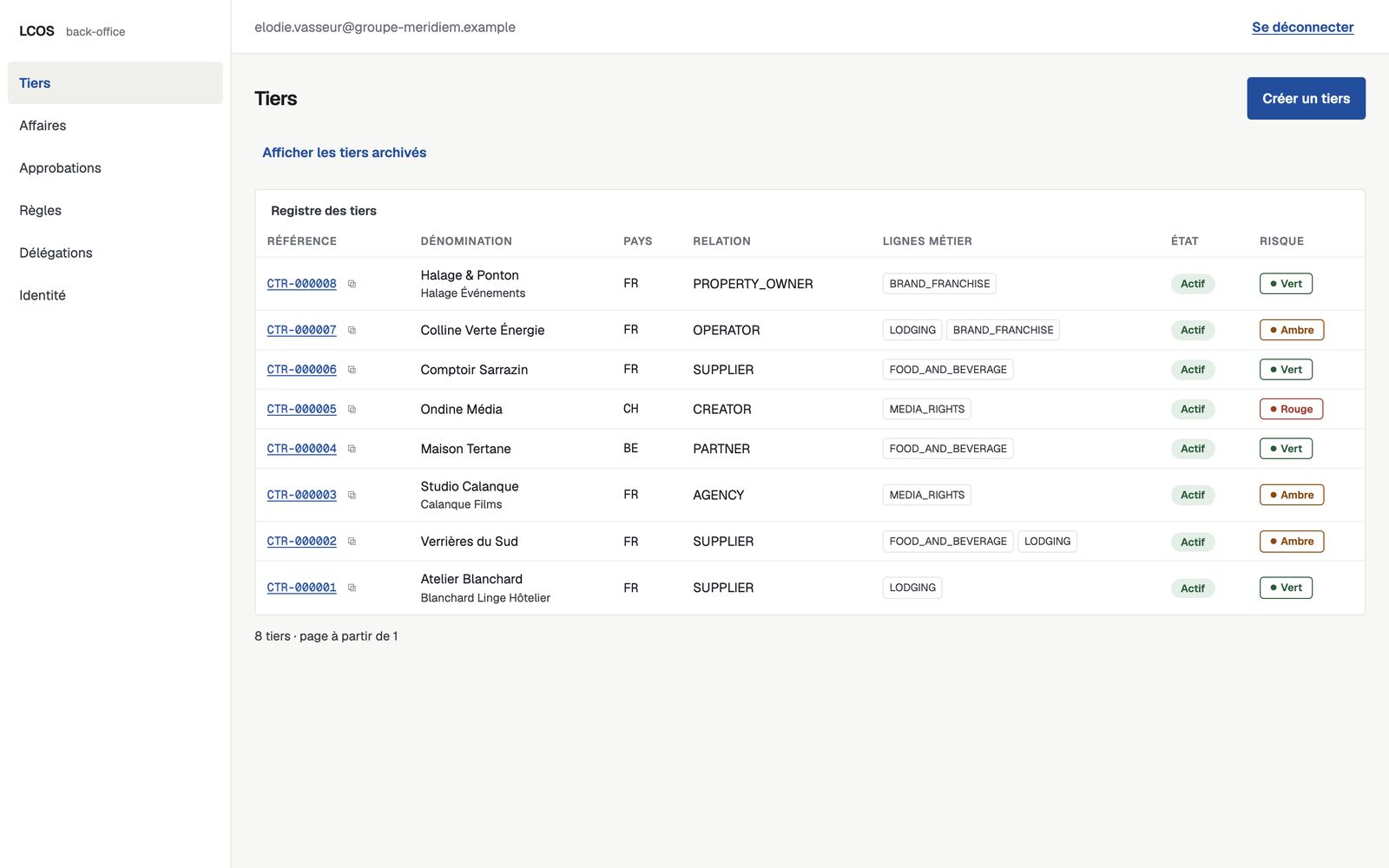
The master register of the group’s third parties: supplier, agency, talent, hotel owner, operator, media partner. A counterparty bearing its registration number cannot be created twice within the same group; without that number, the schema does not prevent two records of the same counterparty.
DEAL
Deal
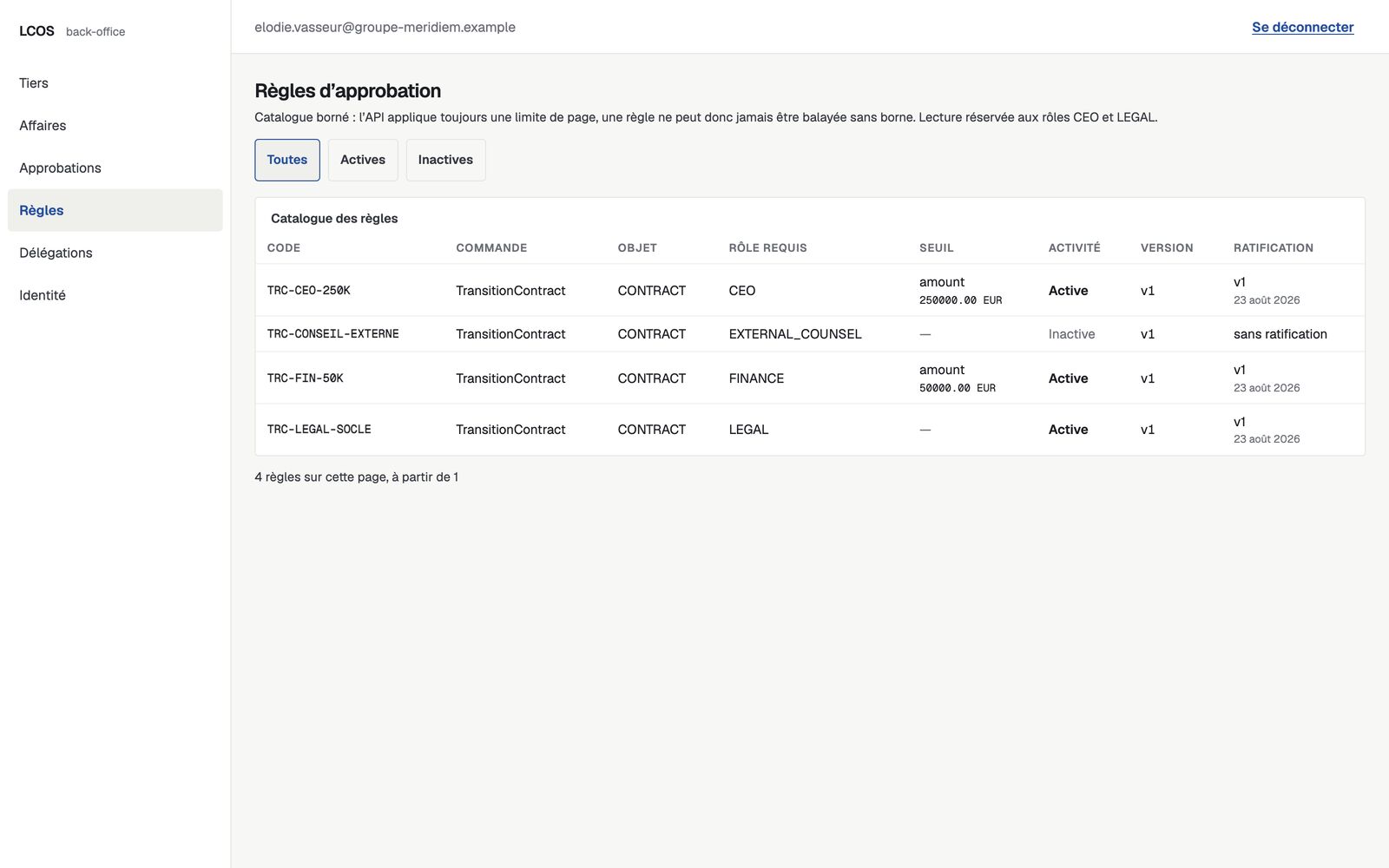
The commercial deal, attached to exactly one business line at creation. A deterministic rules engine validates its operation type against a versioned catalogue and computes its initial risk level; it infers nothing that has not been declared to it. Monetary amounts remain empty until a holder of the finance role has entered them; on the update path, that role must further be held by a human being.
MATTER
Matter
As soon as the negotiation moves beyond the purely commercial stage, the legal matter is opened idempotently: one per deal, never two. It is the anchor of the legal perimeter — the contract attaches to it.
CONTRACT
Contract
The single register of the group’s contractual decisions. Each contract carries a stable reference (CON-000001) and progresses through strict transitions, from draft to execution — no state shortcuts. That reference designates the record of the decision, not the document: LCOS holds neither the body of the contract nor its electronic signature.
APPROVAL
Approval
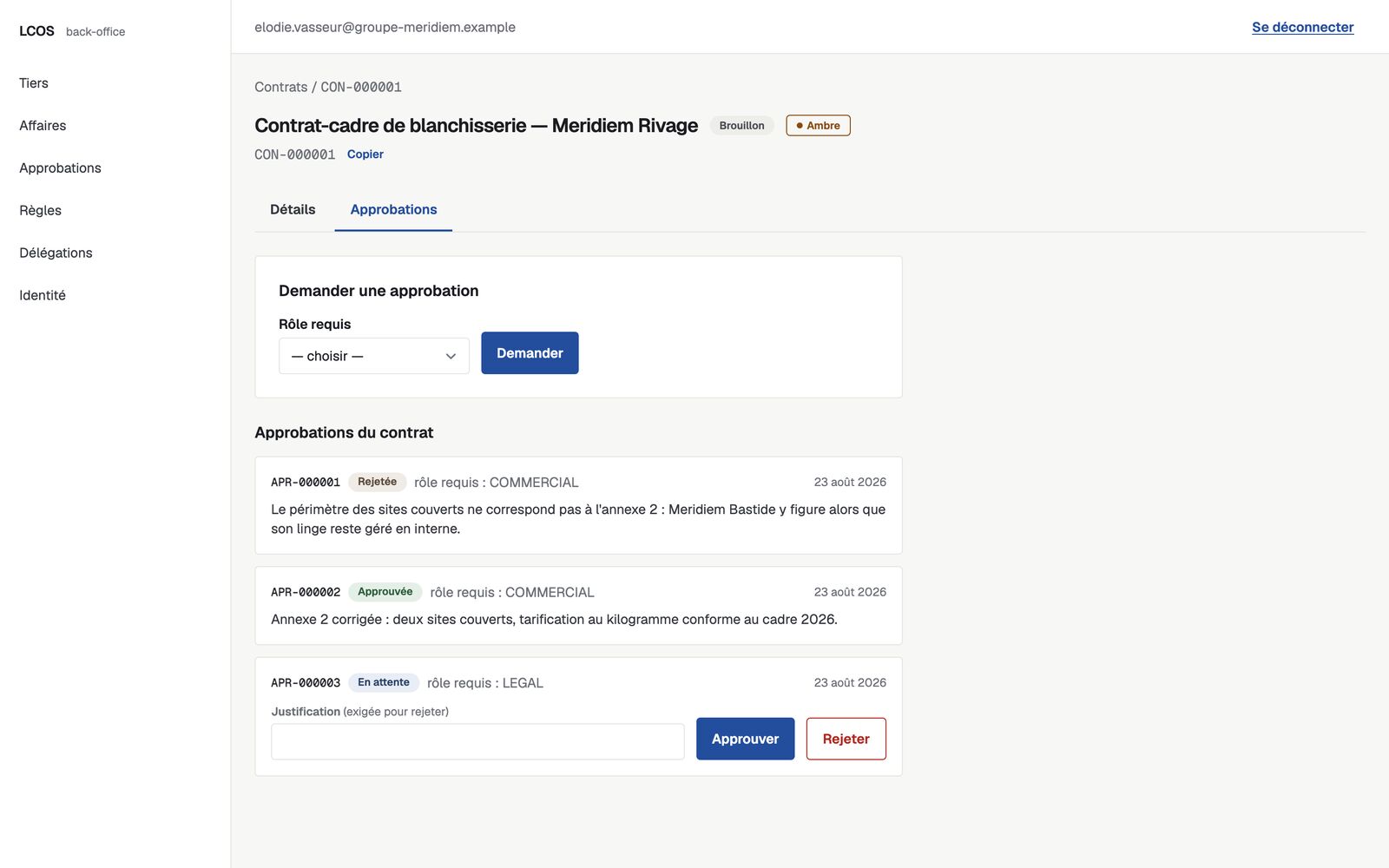
Reaching the approved state requires an approval covering the full set of roles demanded by the contract’s risk level: from the commercial–legal pair up to external counsel and executive management for critical levels. A rendered decision is immutable; re-assessing means opening a new approval.
02
Reading has rules too
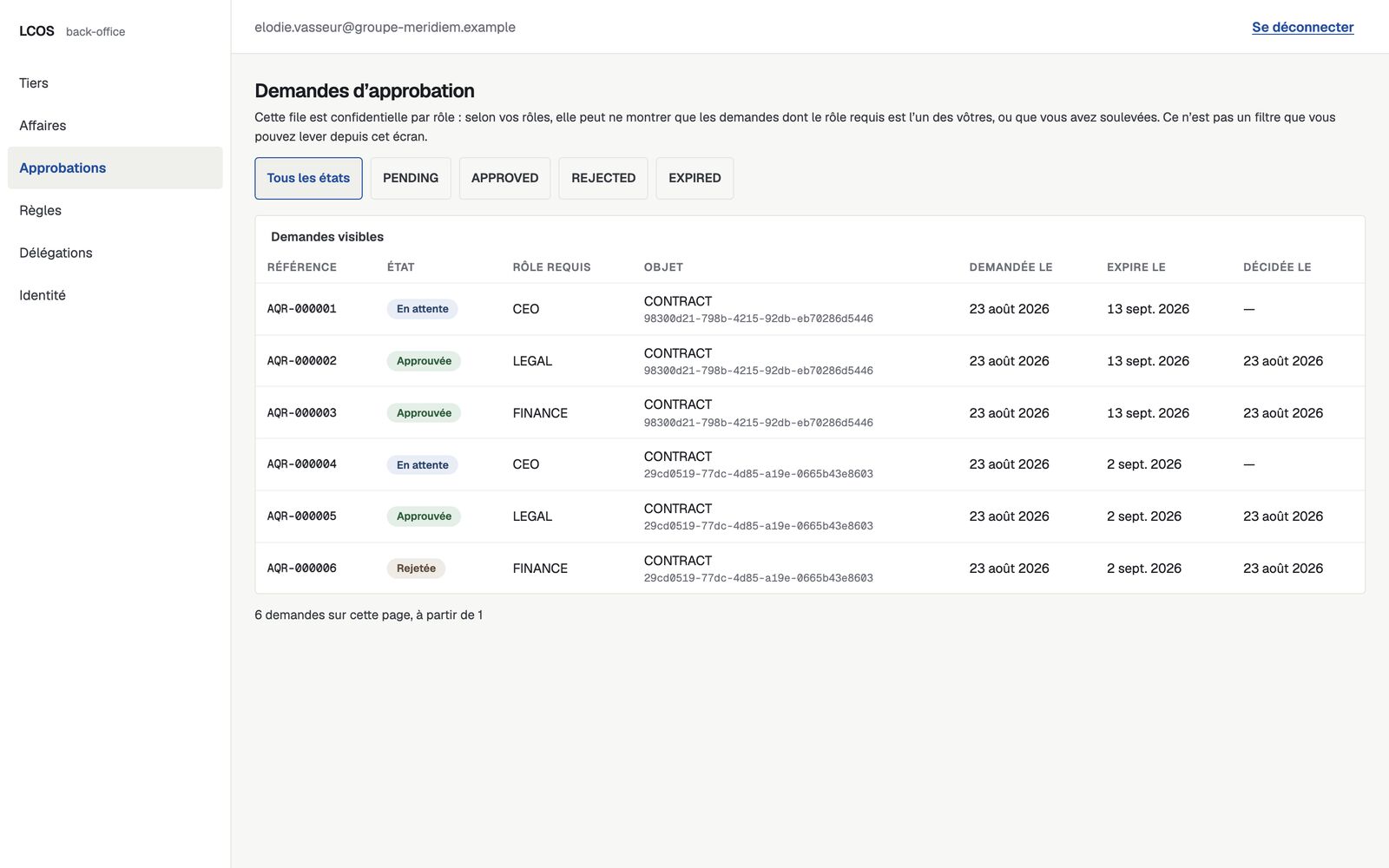
Every read names the roles it admits and refuses all others. Thus: deals, matters and counterparties are read under the commercial and legal roles; the audit journal under the administrator, legal and executive roles; the firewall review under the editorial, commercial and executive roles; the approval request under the executive, legal, commercial and finance roles. The perimeter of an admitted read is the tenant’s — every filter carries the tenant identifier — and two reads narrow it further, never widening it. The firewall review, read under the commercial role alone, is confined to the deals of which the reader is the recorded commercial owner; let them also hold the editorial or the executive role, and the restriction falls away. The approval request, read under the commercial or finance role, is confined to the requests calling for one of the reader’s own roles or which they themselves raised; beyond that, a request is reported to them as non-existent, and its rationale is never disclosed to them. The data model therefore does attach a deal, a request and a matter to a person — the commercial owner, the author of the request, the assigned lawyer — and those two reads make use of it. There is, on the other hand, no alert at all: no model, no field, no route. The external-viewer role is declared in the role enumeration and appears in no admitted list: every read refuses it as long as the scope relationship does not exist. Monetary amounts are entered under the finance role only, and remain empty otherwise.
Separation of duties applies to the end: an approver cannot approve a request they raised themselves, and no automated agent carries an approval decision.
COUNSEL_REVIEW_REQUIRED
A lock only authorised counsel can lift
A contract may carry the COUNSEL_REVIEW_REQUIRED marker — governing law depending on jurisdiction, an unsettled tax qualification, a clause outside the frame already validated. Let us state what is built rather than what is intended: this marker is received when the contract is created, from the person who opens it. Nothing detects it, and the system does not claim to judge on its own that a question exceeds a validated rule.
What it does hold is the lock. As long as the marker stands, the execution gate refuses the contract’s transition under that same code. It is lifted only by a recorded review from qualified counsel, with their identity, the date and the reference of the review, under a human legal role: no automated agent can lift it. The system would rather say “to be verified” than let an uncertain qualification through.
03
The product, photographed
These screens are the administration interface itself, connected to the product’s real API and loaded with a dedicated demonstration data set — a set produced by calling the software’s own endpoints, not written by hand into the tables: the references, the matters opened automatically and the audit events these screens show are the ones the software produces itself. Nothing is reconstructed for the showcase: an interface rebuilt for the photograph would be a false proof.